Go-Micro构建学生rpc服务并注册到consul
1、目录结构
micro-student:项目目录
    service:服务目录
        controller:实现目录
        model:proto生成的目录
        proto:proto定义目录
    main.go:入口
    make_proto.bat:生成proto
    runAll.bat:运行多个服务
2、新建proto文件
文件名:models.proto,内容如下
syntax = "proto3";

package services;

//公共的模型
message StudentModel {
    int32 id = 1; //学生ID
    string name = 2; //学生名称
    string sex = 3; //性别
}
文件名:student_service.proto,内容如下
syntax = "proto3";

package services;

import "models.proto";

//学生列表请求
message StudentListRequest {
    int32 num = 1; //请求数量
}

//学生列表返回
message StudentListResponse {
    int32 status = 1; //状态
    repeated StudentModel data = 2; //学生模型数据
}

//学生列表请求方法
service StudentListService {
    rpc GetStudentListService (StudentListRequest) returns (StudentListResponse);
}
3、编写生成proto的批处理文件(make_proto.bat)
cd service/proto
protoc --go_out=../model models.proto
protoc --micro_out=../model --go_out=../model student_service.proto
cd ../../
执行批处理后,model目录下会生成对应的文件
4、编写服务的业务实现逻辑(controller目录下新建student_service.go文件)
package controller

import (
    "context"
    services "micro-api/service/model"
    "strconv"
)

type StudentService struct {
}

//业务实现
func (c *StudentService) GetStudentListService(ctx context.Context, req *services.StudentListRequest, rsp *services.StudentListResponse) error {

    var data []*services.StudentModel
    for i := 1; i <= int(req.Num); i++ {
        data = append(data, &services.StudentModel{
            Id:   int32(i),
            Name: "name_" + strconv.Itoa(i),
            Sex:  "男",
        })
    }
    rsp.Status = 200
    rsp.Data = data
    return nil
}
5、编写main.go
package main

import (
    "github.com/micro/go-micro"
    "github.com/micro/go-micro/registry"
    "github.com/micro/go-plugins/registry/consul"
    "micro-api/service/controller"
    services "micro-api/service/model"
)

func main() {
    register := consul.NewRegistry(func(options *registry.Options) {
        options.Addrs = []string{
            "192.168.1.171:8500",
            "192.168.1.177:8500",
            "192.168.1.178:8500",
        }
    })

    service := micro.NewService(
        micro.Name("student-service"),
        micro.Registry(register),
    )
    if err := services.RegisterStudentListServiceHandler(service.Server(), new(controller.StudentService)); err != nil {

    }
    service.Init()

    service.Run()
}
6、批量文件文件(runAll.bat)
@echo off


start cmd /k "cd/d E:\go\micro-student &&go run main.go --server_address=:50001"

start cmd /k "cd/d E:\go\micro-student &&go run main.go --server_address=:50002"

start cmd /k "cd/d E:\go\micro-student &&go run main.go --server_address=:50003"
热门标签
每日一句
-
忙日苦多闲日少,新愁常续旧愁生。
——陆游
今日排行
- Word使用邮件合并进行批量打印
 我们在工作或是生活中,有时会需要制作一些请柬、奖状、或者桌牌等,这些东西都有一个共性,那就是除了每个人的名字不一样之外,其他大部分内容都是一样的,那么我们可以如何快速地批量制作呢?很简单,用Word的邮件合并功能就能做到!
 - 微信小程序支持Markdown的解析库Towxml和搭建公式流程图渲染服务
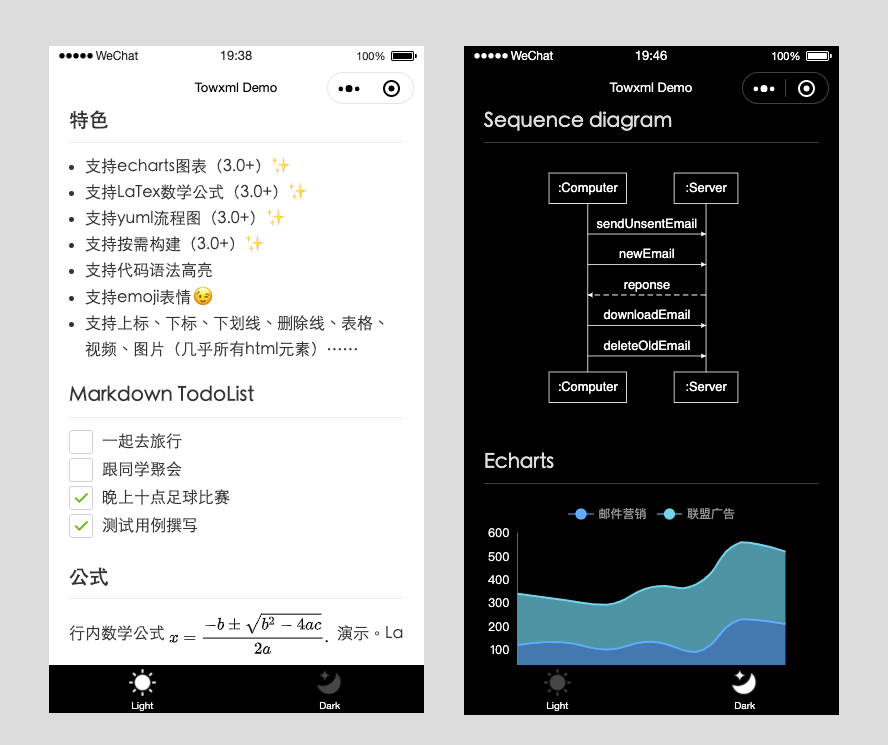 Towxml 是一个让小程序(微信/QQ)可以解析Markdown、HTML的解析库。能够使小程序完美解析Markdown内容。
 - ls:显示目录下的内容及相关属性信息
 ls(list缩写)命令用来显示目标列表,在Linux中是使用率较高的命令。ls命令的输出信息可以进行彩色加亮显示,以分区不同类型的文件。
 - 加密概念
 对加密相关概念整理
 - Excel对数据进行排名次
 对数据进行排名是工作中非常常用的一个功能,本文我们主要介绍下Excel中如何多数据进行排名次和排名次中需要注意到的问题。
点击排行
- VSCode插件 - 快速生成表格并格式化
 快速生成表格
 - Electron页面跳转、浏览器打开链接和打开新窗口
 Electron页面跳转、浏览器打开链接和打开新窗口
 - Electron打包错误“Error: Application entry file ..”解决方案
打包出现如下错误:Error: Application entry file "dist\electron\main.js" in the "D:\gui\demo2\build\win-unpacked\resources\app.asar" does not exist. Seems like a wrong configuration.
- mac git用户名和密码修改
 在Mac电脑中,如何对Git的用户名和密码进行修改呢?起初不懂Mac,所以整了很久,本文将记录如何对这个进行操作,以便后期使用。
 - Git保存和清除用户名、密码
 在使用Git的过程中,不想每次都输入用户名和密码去拉取代码,所以就需要保存这些信息,那么既然有保存了,就必须有清除功能。
 - Docker编译出现:temporary error (try again later)
 Docker编译镜像出现:fetch http://dl-cdn.alpinelinux.org/alpine/v3.12/main/x86_64/APKINDEX.tar.gz
ERROR: http://dl-cdn.alpinelinux.org/alpine/v3.12/main: temporary error (try again later)
WARNING: Ignoring APKINDEX.2c4ac24e.tar.gz: No such file or directory问题
Docker编译镜像出现:fetch http://dl-cdn.alpinelinux.org/alpine/v3.12/main/x86_64/APKINDEX.tar.gz
ERROR: http://dl-cdn.alpinelinux.org/alpine/v3.12/main: temporary error (try again later)
WARNING: Ignoring APKINDEX.2c4ac24e.tar.gz: No such file or directory问题